Last updated: September 6th, 2021.
Hi! My name is Nguyen Phuong Thao, and my co-mentor’s name is Vanya Lilla Eszter. In the academic year 2021/22, we are mentors in Stipendium Hungaricum Mentor Network at Budapest Budapest School (BGE).
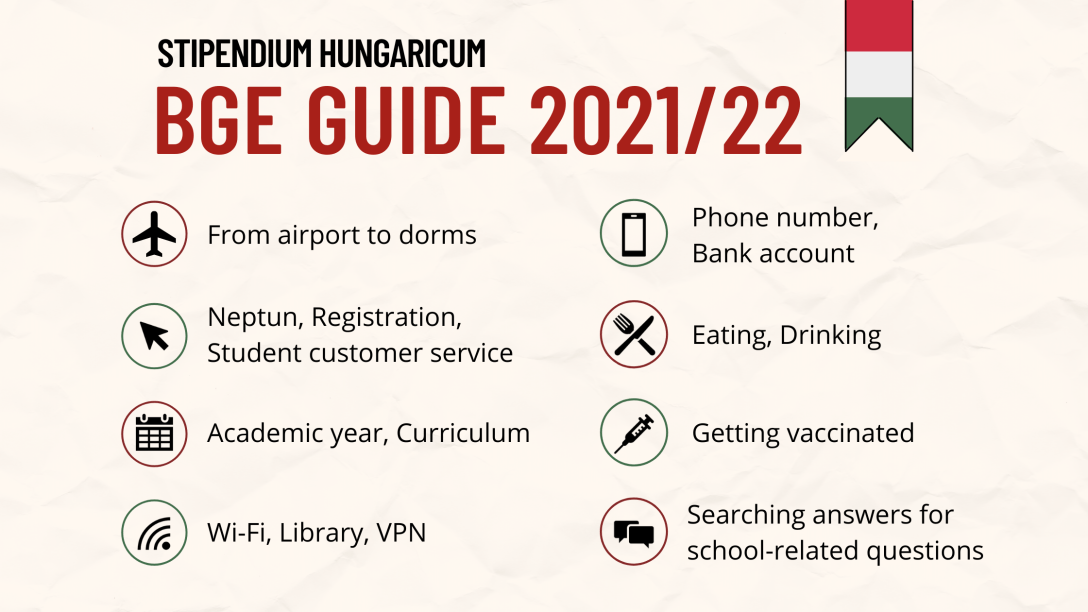
In order to give the first-year students of Budapest Business School (BGE) a helping hand in their transition to Hungary, we put together this document, where you can find information about the following topics:
- Getting to your dorm from the airport
- Registration & Student customer service system
- Neptun & Courses
- The academic year
- Curriculum
- Using Wi-Fi (eduroam)
- BBS Library Network and VPN
- Getting a phone number
- Getting a bank account
- Places to eat around the school
- Places to drink and party
- Getting a job
- Getting vaccinated in Hungary
- Searching answers for school-related questions
- Psychological consultation
- Recommendations on applications
1, Getting to your dorm from the airport
Here are some guidelines about how to get to your dormitories from the airport.
We recommend buying a 10-time ticket at the airport directly, so you can use it before you are able to buy a monthly student pass. The bus station is right in front of the airport, you should take the bus number 100E there that will bring you to the city.
For the ones, going to the Óbuda Student home (Kunigunda street), you have some options, but the following one is the most convenient in our point of view:
- get off at the Astoria M station and take the metroline M2 (in the direction of Déli pályaudvar). Get off at Batthyány tér station and take tram 19 (in the direction of Bécsi út / Vörösvári út) and get off at the last stop, so Bécsi út / Vörösvári út. From there you will have to walk 7 minutes to get there.
For the ones going to Lengyel Gyula Kollégium (Laufenauer street), you have two options:
- get off the bus at Astoria M station and take tram 49 until Karolina út. From there you can walk 9 minutes to get to the destination.
- get off and Kálvin tér station and take metro 4 until Újbuda központ. From there take the bus 53/150/154 until Hollókő utca or 212 until Diószegi út/Vérellátó szolgálat.
You can also use the Google maps app to get to the destinations.
2, Registration & Student customer service system
As you already received an email from the school, you have to go to the Student Services Group and the International Office after your arrival, as soon as possible, to register personally.
Before contacting customer service (by email, phone or in person), study the information published on the website below!
- Students’ Page: Under the menu items here (e.g.: Studies, Finance, Services, etc.) all the necessary information for the successful completion of studies can be found in an overview format.
- Frequently Asked Questions: typical student questions and answers from customer service and departments can be found here.
- Most Common Neptun Problems/Student Help Guide: quick assistance with respect to registration of courses, start of the semester, exam registration.
- Monitoring Academic Progress – it is especially recommended for students starting their final semester to do a self-audit of all the courses they have taken according to their specific curriculum during the enrollment period, so that should they find any deficiencies, they will still have time to register.
If you cannot find the answer to your questions on the pages above, please first check to find out exactly where to ask for help here.
You can find the information about Student Services Group and their Opening hours in the following websites:
FCHT (KVIK): https://uni-bge.hu/en/kvik/student-services-group
Email: hszo.kvik@uni-bge.hu
1054 Budapest, Alkotmány Street 9-11. Ground Floor 2.
Opening hours:
from 30/8 to 4/9:
Tuesday: 8:30 – 12:00 and 14:00 – 16:30
Wednesday: 14:00 – 16:30
Closed on other days.
from 6/9 to 10/9:
Monday to Thursday: 8:00 – 11:00 and 13:00 15:00
Friday: 8:00 – 11:00
from 13/9 to 22/1:
Monday: 8:30 – 10:30
Tuesday: closed
Wednesday: 13:00 – 15:00
Thursday: 8:30 – 10:30
Friday: 8:30 – 12:00
FIMB (KKK): https://uni-bge.hu/en/kkk/student-services-group
Email: hszo.kkk@uni-bge.hu
1165 Budapest, Diósy Lajos Street 22-24.
Opening hours:
Monday and Wednesday: 8:00-12:00
Tuesday and Thursday: 13:00-16:00
Friday: closed
FFA (PSZK): hszo.pszk@uni-bge.hu
1149 Budapest, Buzogány Street 10-12.
Opening hours:
from 6/9 to 10/9:
Monday: 8:30 – 12:00
Tuesday: 12:30 – 16:00
Wednesday: 8:30 – 12:00
Thursday: 12:30 – 16:00
Friday: 8:00 – 11:00 and 14.00-16.00
from 13/9 to 22/1:
Monday: 8:30 – 10:30
Tuesday: closed
Wednesday: 13:00 – 15:00
Thursday: 8:30 – 10:30
Friday: 8:30 – 12:00
You should arrive at least half an hour before the end of opening time, otherwise they cannot guarantee your access.
If you go there, please ask for a paper to prove your active student status, with that you can use the transportation at a discounted price!
3, Neptun & Courses
You have to register on Neptun. You go to Administration → Enrollment/Registration → click on the plus sign on the right side of the semester line → Enroll → choose active → accept.
In case you want to join a class that is already full:
- Course enlargement and course initiation requests: 18/08/2021 0:00:01 am to 29/08/2021 11:59 pm.
- Submit the course enlargement and course initiation requests in Neptun: Studies/Curriculum/ at the end of the subject row, click on symbol “+”.
- A course enlargement request can only be submitted for those subjects included by the curriculum which are available/advertised for this (2021/22/1) semester.
- Students can submit course initiation requests for a normal and exam course. If there is a signature on the subject, an exam course must be requested.
- Course/subject correction period takes from 03/09/2021 2:00 pm to 08/09/2021 11:59 pm.
- Exam registration period for exam courses: until 27/08/2021.
If anybody still has problems with Neptun, please contact the Student Services Group of your faculty!
Tips from Thao:
- In the future when you need to log into your Neptun account and the system hasn’t let you in yet due to the large number of students using it at the same time, you should just wait after clicking “login”. When it attempts to get you in like that (even up to 40+ attempts), don’t refresh your browser because it means that you are back at the end of the line again.
- At the end of the semester, you will have the chance to fill the form of Student Feedback to Teacher Work. If you fill all the surveys that the school requires, it will give you a chance in the following year to register 24 hours earlier than the usual registration period. The school will give you more information on the matter at the end of the semester.
- Finding subjects that are not in the curriculum (for example: optional courses in Project Week):
Click Subjects → Register for subject → Choose your current Terms.
Option 1: Search the subject that you want by its Subject name/Subject code/Course lecturer/Course code.
Option 2: Click Subject type: All other subjects in the institution.
4, The academic year
You can find the calendar of the academic year via this link (including all the important deadline you should take notice):
FCHT (KVIK): https://uni-bge.hu/en/student-profile/news/schedule-of-bbs-fcht-academic-year-2021/2022-semester-1
FIMB (KKK): https://uni-bge.hu/en/kkk/news/academic-year-2021/2022-autumn-semester
Note: Monday, Sep 6th: no classes for Year 1 FIMB students (https://uni-bge.hu/en/kkk/news/monday-sep-6th-no-classes-for-year-1-students)
First day of school is 6 September 2021 (Full-time students).
- The school will basically start with traditional classroom teaching in September but it is also prepared to introduce possible restrictive measures quickly if necessary (such as 100% online teaching).
- Some courses will be held online (in general, lectures with over 50 people), but most of the courses will be taught in traditional classroom style with attendance. Lecture and seminars are considered separate courses, so it may be the case that the lecture will be held online, and the seminars will be in the form of classroom teaching.
- Should you transition to online education during the semester, class attendance will apply to online attendance.
- A vaccination certificate is not required for visiting the university or attending classes, however, we strongly recommend that you be properly vaccinated.
- The use of masks in the classrooms and on campus is currently not mandatory, but feel free to use them if you feel safer that way.
- Currently there is no body temperature measurement at the entrance.
- A reasonable degree of “voluntary quarantine” is important: whoever feels sick or who has recently been in contact with someone who has since had symptoms, should be sure to avoid the community for a few days.
- Based on the school’s current knowledge, they are preparing for a traditional (attendance) exam period.
More specific information on other epidemiological measures that are still in force: https://uni-bge.hu/en/student-profile/covid-19-information-for-students
As you see, you will have the autumn holiday and Project Week from 18-24/10. You can plan some holidays here, but be prepared that the following week, you will have your midterm tests from some subjects.
More specific details on all classes in the Project Week:
https://uni-bge.hu/en/student-profile/project-week-at-bbs?fbclid=IwAR1q3sqco-FHw_i26pyNfRAV-oCOJuPeKGMQe7ncfiAxrNklD_5wf_y_Y1U
Thao’s comment: Especially for first-year students, “What to say about Hungarian culture?” is an interesting course that will help you gain more insights into the country. Personally, I had great experience with “A road to a scientific work” class last semester and learned a lot about doing research from professor Eva, the guest speakers, and classmates. However, before choosing any subject(s), I suggest you consider the energy and time that you spend on your schoolwork, especially when many midterms tests happen the following week.
The classroom semester officially ends on December 10th (Friday). Afterwards, you will have your exams from 13/12/2021 to 22/01/2022.
5, Curriculum
As for the first semester, you have been registered to most/all of your classes. But from next semester, you have to do the registration by yourselves.
For this, we are attaching you your full curriculums here (The website is still under construction, so some curriculums are not available):
Bachelor programs: https://uni-bge.hu/en/student-profile/undergraduate-courses
Master’s programs: https://uni-bge.hu/en/student-profile/masters-degree
Tip from Lilla: If you click on the bold major name, you will find a pdf file with written information about every major. On the other hand, below each major, you will find the programs. That link will provide you an excel file with your official curriculums. You can find every abbreviation at the bottom of the excel file, plus also you can easily see which subjects you should register for, in which semester.
Tip from Thao: While the pdf files might not work on the website, you can still check your curriculums on Neptun (with progress tracking if needed): Click “Studies” → “Curriculum” OR “Advancement” → Choose your curriculum.
The classes that are Practical courses/Seminars are compulsory to attend, you can miss maximum 2 or 3 times, for language classes 6 times. (The teacher will mention at the first class and/or in the document uploaded to Coospace. The password and username for Coospace is the same as for Neptun.)
The classes that are Theoretical/Lectures are not compulsory to visit (unless the professor says differently.)
Also, the Coospace will be a platform to communicate with the teachers, they will upload every information and the PPTs from the classes to here, so please visit it often.
Tip from Thao: Even though your classes are in English, their names on Coospace are in Hungarian. I suggest you categorize your classes based on colors, so you can identify the names more quickly. Click on the grey dot next to the name of your class → choose a colour → save.
As I said, some of you have all your classes registered for this semester. They are the master students, you don’t need to register for any extra class now.
Unless, you would like to take up an extra language, just as a hobby for free. If you would like to do so, please discuss with these ladies, regarding the languages: deak.gabriella@uni-bge.hu and stroh-vermes.beata@uni-bge.hu.
Bachelor students have to do 2 semesters of Physical Education. As I see, now all the classes are full, so you can start it at the next semester earliest. First you must choose Physical Education 1 and then Physical Education 2. You can also take Hungarian language classes from this subject, the teacher will be always helpful. But the most important, is that these classes are held out of the school building. So when you take up a PE class, make sure that you have at least 30 minutes to get there! (These classes are only 45 minutes long, so you can arrive back peacefully afterwards.)
Still for the bachelor students: if you check your curriculum at the link, you see that at the first semester you already have to choose one elective course from these:
Study Techniques
Presentation Skills Development
International Negotiation Techniques
Career Development
Lilla’s recommendation: I had Presentation Skills Development and Psychology in my first semester. Both of them were very interesting and useful, I really recommend any to take into consideration.
If you can still find some availability in Neptun that would fit in your schedule and interest you, feel free to register to it. Otherwise, you can also take it in another semester.
6, Using Wi-Fi (eduroam)
Eduroam is an IT network that you can use in the school and the dormitory (in BGE and other universities in Hungary).
Guides for different operating systems: https://uni-bge.hu/en/wifi-eduroam-hasznalata
If you have any problems while setting up or using the services, please write to the following e-mail address: informatika@uni-bge.hu with the Neptun code and Faculty, with a detailed description of the error (by attaching a screenshot).
Tip from Thao: If you live in the school’s dormitory, I suggest you take screenshots of the steps on how to connect the Wi-Fi in the operating system of your phone before you arrive in Hungary. (You can see the paradox is that you need the internet first to load the website on how to connect to the internet). Having the instruction beforehand will help you use the Wi-Fi instantly without much hassle.
7, BBS Library Network and VPN
The library of our school supports academic activities linked to education and research. You can find more information via this link: https://uni-bge.hu/en/library
You can have access to the databases simply by connecting to the university IT network (e.g.: by using the Wi-Fi called “eduroam” in school and in the dormitory). For remote access (e.g.: from home), it is necessary to connect to the library’s VPN.
With VPN connection, the following link helps you to remote access databases that the Central Library subscribed to: https://uni-bge.hu/en/create-a-vpn-connection-to-databases-subscribed-by-central-library
8, Getting a phone number
These are the main 3 phone companies in Hungary:
https://en.telenor.hu/
https://www.vodafone.hu/english/home
https://www.telekom.hu/lakossagi/english
As we checked, if internet connection is more important than phone calls, Vodafone seems to have the best plan: you can have 5 GB data, unlimited social media + 100 min free calls per month for 3490 HUF. (We cannot find it on the webpage now, so sorry, I don’t know the name of the plan, but you can ask about it if you go there).
Tip from Thao: With Vodafone, I recommend you connect your bank account with your Vodafone account. If you pay the monthly bill online like this, the amount of money you need to pay is the same (3490Ft/month). However, if you go to the Vodafone store to pay the bill in person, they might charge you more.
https://en.telenor.hu/postpaid
Tip from Lilla: If you scroll down on this link, you can find several options at Telenor, from which you can choose considering your own purposes. Furthermore, they are really helpful at the shops so you can just walk in and tell them your preferences and they will help you choose the best option.
If you don’t need internet on your phone, only the calls, we recommend taking a pre-paid sim card, with a certain amount you can use and always top up (just for calls, no internet!) You can inquire about it in one of the shops.
There’re big shopping malls, close to the faculties where you can find all these brands’ shops.
Important: you need a passport and some official paper that states that you have your address in the student home to make the contract!
9, Getting a bank account
As you need to open an account to receive the scholarship (and if you might get a job too), here is a little information.
For the young ones under the age 24, I recommend the OTP Junior account. It’s free of charge to open and there is no extra fee until you reach the age 24.
For the forever young ones over the age 24, you can check the OTP Bank as well, they are the biggest in Hungary and have an office on the street of the university. Other big banks are CIB Bank, Erste Bank, MKB Bank, Raiffeisen Bank and Unicredit Bank, you can check which ones have the best fees for your needs.
10, Places to eat around the school
The university has its own restaurant at the Alkotmány street building, called Alma Mater with Hungarian cuisine. I like it a lot, you can check it if you do, too 😉
Also, there are many restaurants on the -1 floor of the Westend Shopping Mall, a few minutes from the Markó street building.
Lilla’s recommendation: I really like to have Brunches, so I would recommend trying one of these if you have time in the future. ‘Briós’ is the first one, which is located near Jászai Mari tér, which is about 5 minutes from the university, by taking the Tram 2. Another one is Mokka Cukka (very close to the Alkotmány str. building) and Zoska, which is close to Astoria metro station. I would really suggest trying the latter one at least once, because it has fairly good prices and delicious brunches. Lastly, in Oktogon (which can be reached by Tram 4-6) there are many places to eat, varying from Burger King, Mc Donald’s, Belozzo ect.
11, Places to drink and party
The best places where most people go are located on the line of tram 4 and 6 between the stations Király utca and Blaha Lujza tér. The tram 6 is going around all day, so you have time to enjoy 😉
12, Getting a job
In around October and March, there will be some job fairs on campus. Notice these events in BGE via Facebook pages:
Budapesti Gazdasági Egyetem: https://www.facebook.com/unibge/
BGE EHÖK: https://www.facebook.com/bgehok
BGE KVIK HÖK (for KVIK Students): https://www.facebook.com/bgekvikhok
13, Getting vaccinated in Hungary
Vaccination is voluntary and free of charge. You have the opportunity to apply for COVID-19 vaccination on the following English-language website: https://vakcinainfo.gov.hu/registration
It is also possible to register without having a Hungarian social security number (TAJ number). For further information please visit the above website. You should bring your passport (and TAJ card if possible) to the hospital where you get vaccinated the first time.
After the first shot of the vaccine, in order to get the immunity card, you can go to the Government Office (kormányablak) to register yourself into the system. You can go to any kormányablak to do this, but it is more convenient to just choose the one that is near where you live.
You should bring:
(1) passport,
(2) address card,
(3) residence permit,
(4) TAJ card (if possible), and
(5) vaccine paper confirming that you got the first shot of the vaccine.
Opening hours of Kormányablak:
Monday: 8:00-18:00
Tuesday: 8:00-16:00
Wednesday: 11:00-19:00
Thursday: 8:00-16:00
Friday: 8:00-14:00
After around 2 weeks from the day you register at kormányablak, they will send your immunity card directly to your place. If somehow you do not receive the card in person, you will get a notice paper from the post office to go there at a specific time to take it. Remember to bring some paper to identify yourself at the post office, such as your passport.
14, Searching answers for school-related questions
If all the above information is not be able to help you find a solution for your issue, before emailing anyone in the school, you can search the answers by yourself. It is likely that what you need is already available on the school’s website. Our suggestion on using keywords to search on Google:
Type “what you are finding/your problem” + “bge” (+”the name of your faculty” if needed, such as kkk/kvik/pszk)
For example, if you want to find the email of a professor, you can search on Google: “professor’s name” + “contact” + “bge”.
15, Psychological consultation
For international students in BGE, if you need professional help during your studies in terms of mental health, you can write to Dr. Thuma Orsolya (Thuma.Orsolya@uni-bge.hu) to set an appointment for psychological counselling. The consultation is free of charge.
16, Recommendations on applications
Thao’s recommendations:
1. BKK FUTÁR application for using public transportation in Budapest. I recommend BKK FUTÁR specifically because it has real-time upcoming departure times and some useful functions, such as ticket vending and water fetching locations. Personally, I use Maps/Google map first to search for routes (since it’s quicker to search in these apps than in BKK), then I use BKK to check real-time upcoming departure times.
Apple: https://apps.apple.com/hu/app/bkk-fut%C3%A1r/id916193835
Google Play: https://play.google.com/store/apps/details?id=hu.webvalto.bkkfutar&hl=en&gl=US
2. Neptun. The app is a bit slow to load, but it is the most helpful in checking your Messages and Calendar. (You can do this on your laptop/computer, but an app on your phone can be more convenient). Most of the time the emails you receive from the school via Neptun will be sent to your email address, but in this case, it takes a bit of time for the message to show up in your email inbox (such as Gmail). Checking these messages directly from Neptun will keep you up-to-date with any new changes/announcements.
Apple: https://apps.apple.com/hu/app/neptun/id1046455470
Google Play: https://play.google.com/store/apps/details?id=hu.SDA.NeptunMobile.Android&hl=en&gl=US
3. Xe for currency transfers. I think it would be useful for you to adapt to using a new currency (HUF) by comparing it to your country’s currency. You can use any application if you wish to. For me, this app is good due to its ability to display many currencies at the same time.
Apple: https://apps.apple.com/hu/app/xe-currency-money-transfers/id315241195
Google Play: https://play.google.com/store/apps/details?id=com.xe.currency&hl=en&gl=US
We hope that this guide can help you adapt to Hungary more smoothly.
All the best for the semester,
Nguyen Phuong Thao & Vanya Lilla Eszter.
If you have any remarks or questions, you can contact me via my personal Facebook account here.






 Thao Nguyen